 v1.2 v1.2
 Farmly turns USB-connected Android and iOS phones into a shared device farm. Run automated Appium tests or remote-control any device from your browser — all on your own infrastructure.
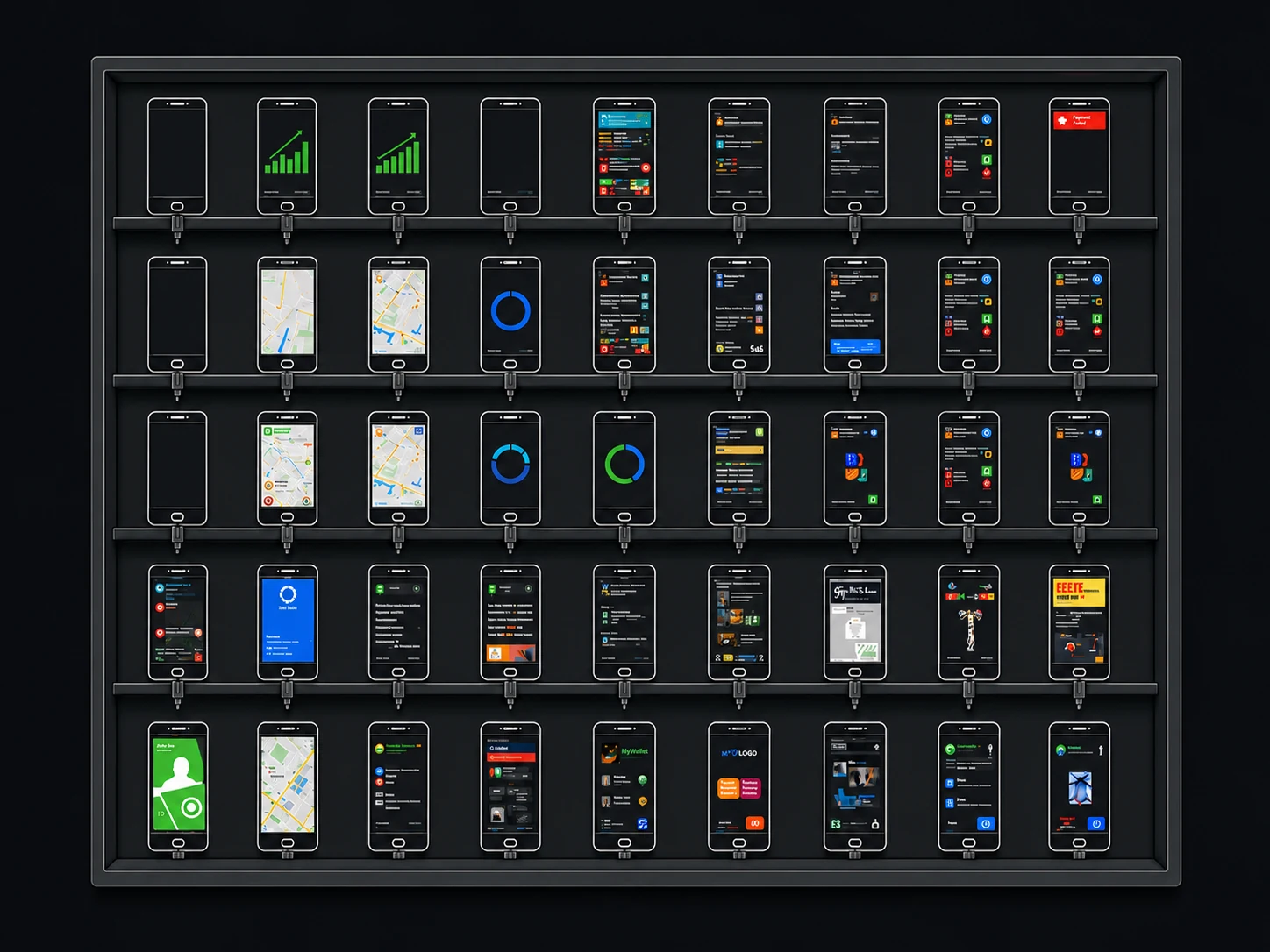
Works with the devices you already have
Any USB-connected Android 8+ or iOS 14+ device
Farmly is two npm packages: farm-orchestrator runs on
your hub and exposes the Appium-compatible endpoint. farm-runner runs
on each machine with USB-connected devices. They find each other, reconcile state, and self-heal.
Postgres, REST API, Dashboard
Mac mini #1
Linux host #2
Farmly isn't on-premise or cloud — it's both. Plug in TestMu AI, Sauce Labs, or AWS Device Farm as additional nodes, then route the same Appium suite across local and cloud devices in a single test run. Use your own phones first, spill to the cloud when CI gets hot.
USB-connected phones in your lab
Zero latency. Zero per-minute cost.
Bring your existing vendor contracts
Pay-as-you-go. Spill over on demand.
Two npm packages. The orchestrator runs once on your network; the runner runs on every host with phones plugged in.
npm install -g farm-orchestrator farm-runnerA built-in doctor checks Postgres, ADB, Xcode, ffmpeg, ports — and tells you exactly how to fix anything missing.
farm-orchestrator doctor
farm-runner doctorPoint at Postgres with inline env vars. Migrations run automatically. Dashboard opens at localhost:3000.
DB_HOST=localhost DB_PORT=5432 \
  DB_USER=$(whoami) DB_PASSWORD="" \
DB_NAME=device_farm farm-orchestratorDrop a node.config.json with hubUrl, accessKey, and token, then start the runner. Devices appear in seconds.
farm-runner start --config ./node.config.jsonPoint your Appium or WebDriver suite at the hub. Sessions stream live with recordings, logs, and artifacts attached.
await driver.executeScript(
  "devicefarm: setSessionStatus",
  [{ status: "passed" }]
);{
"hubUrl": "http://hub.local:3000",
"accessKey": "your-access-key",
"token": "your-token",
"name": "mac-mini-01",
"platform": "both",
"iosDeviceType": "both",
"androidDeviceType": "both",
"appiumServer": {
"enabled": true,
"serverArgs": { "port": 4723, "address": "0.0.0.0" }
}
}$ farm-runner --help
Farm Runner — Device Farm Node Server
Usage:
farm-runner [command] [options]
Commands:
start Start the node server (default)
doctor [options] Verify all required dependencies are installed
--help, -h Show this help message
--version, -v Show version information
Start options (can also come from --config file or env vars):
--config, -c <path> Path to node.config.json (default: ./node.config.json in cwd)
--hub-url, -u <url> Hub WebSocket URL, e.g. http://hub.local:3000
--access-key, -a <key> Access key issued by the hub
--token, -t <token> Auth token issued by the hub
--name, -n <name> Friendly name for this node (default: hostname)
--host <host:port> Override the host:port advertised to the hub
--os <android|ios|both> Platforms this node serves
--tags <csv> Comma-separated tags for capability matching
--temp-logs-dir <path> Where to buffer session logs before upload
Doctor options:
--platform <android|ios|both> Limit checks to one platform (default: both on macOS, android elsewhere)
--hub-url <url> Also probe reachability of the given hub URL
Examples:
# 1) Start with a config file (recommended)
farm-runner start --config ./node.config.json
# 2) Start with inline flags
farm-runner start \
--hub-url http://hub.local:3000 \
--access-key abc123 \
--token tk_xyz \
--name mac-mini-01 \
--os both
# 3) Health check
farm-runner doctor
farm-runner doctor --platform ios
farm-runner doctor --hub-url http://localhost:3000
Notes:
• Only hubUrl + accessKey + token are required; everything else has a sensible default.
• CLI flags override the config file. Run farm-runner doctor first to verify deps.
Docs & more: https://farmly.devThe Farmly dashboard gives your team a real-time view of every connected device, active session, and test result.
Devices
12
Sessions
4
Tests today
847
Uptime
99.8%
Whether it's an automated test or a hands-on remote-control session, Farmly captures the full video, screenshots, device logs, and Appium command traces. Debug — or drive — any device without being next to it.
Your devices, your network, your data. Nothing leaves your firewall. Comply with the strictest security policies.
Real phones, real tablets. Plug in any Android 8+ or iOS 14+ device. Farmly handles ADB, WebDriverAgent, and provisioning.
Run tests across dozens of devices simultaneously. Cut your CI pipeline from hours to minutes.
First-class hooks for GitHub Actions, GitLab CI, Jenkins, and Bitrise. Drop Farmly into the pipeline you already have.
Farmly polls real device state and self-corrects. Disconnected devices re-register automatically.
Every session ends clean. Test apps uninstalled, artifacts removed, WDA rebuilt. Ready for the next run.
Point your Appium or XCUITest suite at the Farmly hub. It works with every test framework that speaks WebDriver.
Start free with 4 devices. Scale to unlimited when your team is ready.
Everything in Free, plus
All plans include the Farmly agent and web console.
Yes — every Farmly plan runs entirely on your own hardware and network. We never see your devices or test data. Your builds, screenshots, and session recordings stay behind your firewall.
Any USB-connected Android (8+) or iOS (14+) phone or tablet. We handle ADB, WebDriverAgent, and reboots for you. tvOS devices are also supported for Apple TV testing.
Farmly helps you set up a device farm locally — plug in real Android and iOS devices and turn them into a shared, automatable lab. It's powered by Appium, so any existing Appium or WebDriver test suite works unchanged, and the dashboard gives you live manual control of any device from your browser (screen mirroring + touch). When you need extra capacity, Farmly can distribute the same test run across your local devices and cloud providers (Sauce Labs, BrowserStack, AWS Device Farm, LambdaTest) in a single session — capability-routed, with results unified in one place.
Yes, upgrade or downgrade any time from the admin console. Pricing is pro-rated to the day, so you only pay for what you use.
14 days, no credit card required. Spin it up against your existing devices and decide before you pay.
Farmly works with any CI that can run Appium or WebDriver tests — GitHub Actions, GitLab CI, Jenkins, Bitrise, CircleCI, and more. The Team plan adds native hooks for parallel execution.
Start free with 4 devices. No credit card, no cloud dependency.
or talk to us at hello@farmly.dev